 Specular FX
Cat’s eye
Towards the corners, bokeh narrows into the shape of a cat’s eye. It is what makes a background swirl.
Defocus Pro blurs like a lens, not like a filter. Choose a lens from the shelf, or build one: its iris, its texture, and how its bokeh bends towards the edge of the frame.
A lens is a whole look: an iris, what is on the glass, and how the bokeh behaves across the frame. Change anything, press Save, and it joins your shelf, picture bokeh included.
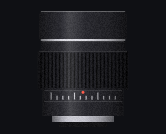
A clean, round iris. The starting point for a look of your own.
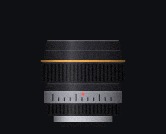
Bokeh that narrows and turns towards the corners, with a bright edge.
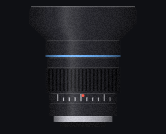
Tall anamorphic ovals with a touch of colour at the edges.
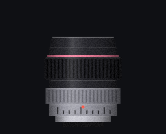
Six blades, warm glass, and the dust of fifty years.
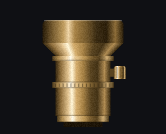
The oldest portrait lens: heavy swirl, soft and strange.
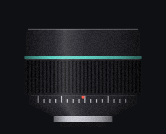
Rings instead of discs, as a mirror lens draws them.
Every one of these changes across the frame, as it does in a real lens. The panel shows you the whole frame at once, so you see it before you render it.
Towards the corners, bokeh narrows into the shape of a cat’s eye. It is what makes a background swirl.
Discs stretch along the frame or across it, as they do through fast vintage glass.
A thin rim of colour on every bokeh, green behind the focus and magenta in front of it.
Three to ten blades, straight or rounded, turned and squeezed. Or draw the bokeh with a picture of your own.
Onion rings, specks and fibres, a wiped smear, a bright or fading edge. Each lens can carry its own.
Tall ovals, squeezed as far as you like, with everything else still at work on them.
One 4K frame at a blur radius of 80 pixels, measured with a pre-release build on a laptop with an RTX 5090. Other machines will differ. Without a suitable graphics card the plug-in renders on the CPU, more slowly.
Leave your address and we will write once, the day it is out.